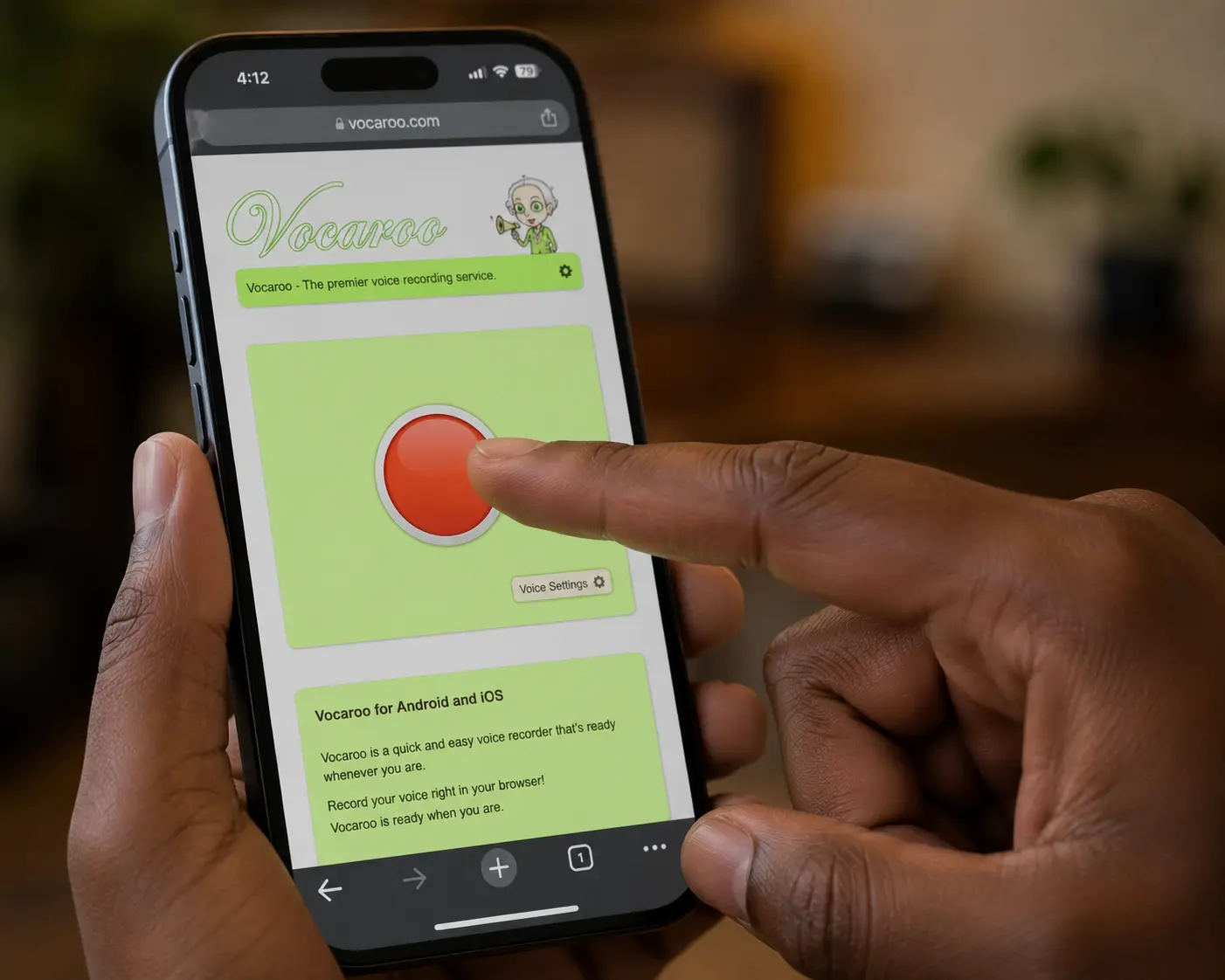
This post is for the candidate who just got a WhatsApp message with a name they have never seen before. Vocaroo. The call center told you to go there, record an audio, and send them the link. That's all they said. No explanation of what it is. No instructions on how to use it. This post is going to tell you exactly what Vocaroo is, how it works, and how to have your recording ready before they even ask for it.
What is Vocaroo
Vocaroo is a free website that lets you record your voice directly from your phone or computer and get a shareable link. You go to vocaroo.com, hit the record button, speak, stop the recording, and the site gives you a link you can copy and paste into WhatsApp. No app to download. No account to create. No signup required.
It takes about thirty seconds to figure out once you know what you're looking at. The problem is that most candidates arrive at that website with no context and panic before they even try.
Why the call center is using it
Same reason they ask for a video resume. Not because it's better for you. Because it's faster for them.
The call center is processing hundreds of applications. They send a WhatsApp message to a large group of people and ask for a Vocaroo link. They open each one, listen for thirty to sixty seconds, and decide yes or no. No scheduling. No back and forth. No conversation.
What you can control is whether your recording sounds calm and prepared or nervous and unprepared. That gap is entirely in your hands.
The thing nobody tells you
It's not just a new tool. It's a new tool that you have to figure out in English, use in English, and record yourself speaking in English, all at the same time, all from a WhatsApp message that gave you zero guidance.
Even candidates who have worked in call centers before have never heard of Vocaroo. CCA exists partly because of situations exactly like this one. There is no school, no institute, no platform in the Dominican Republic that sits down and explains what Vocaroo is and how to use it before you need it. This post is here so you don't have to figure it out alone.
How it actually works
Go to vocaroo.com on your phone or computer. You'll see a simple page with a large microphone button in the center. Press it. Your device will ask for permission to use your microphone. Allow it. Then speak. When you're done, press the button again to stop. The site will give you a link. Copy that link. Paste it into your WhatsApp conversation with the recruiter.
One important note: Vocaroo recordings are not permanent. The links expire after a few weeks. That's why the strategy later in this post matters more than just knowing how the site works.
The script that works
Same structure as the video resume. Short, clear, personal, professional. Here's what it sounds like:
The move nobody else is telling you to make
Record your Vocaroo audio now. Before any call center asks for it.
Go to vocaroo.com today, record your introduction using the script above adjusted for your own life, and get your link. Then send that link to your own email or save it somewhere you can find it fast.
The next time a recruiter sends you that WhatsApp message asking for a Vocaroo link, you already have one. You don't have to panic. You just copy the link you already have and send it.
One thing to keep in mind: Vocaroo links expire after a few weeks, so if you're in an active job search, check your link every couple of weeks and re-record if it has expired. It takes less than two minutes.